AI Chatbot for Telegram
That Answers Customers
and Closes Sales

Build a Telegram bot that handles conversations on its own: it answers questions, qualifies leads, books appointments, and re-engages customers who stopped responding.

Create an AI Agent
Companies Use Neira
Messages Processed Daily
of Proven Performance

One Bot, Many Capabilities

What an AI Chatbot Can Do in Telegram

Replies to Everyone in Seconds

All conversations in one place. It remembers the context, sees the history, and guides each customer through your workflow.

Books Appointments

Offers available time slots, adds bookings to your calendar, and sends reminders.

Qualifies Leads and Sends Them to Your CRM

Asks qualifying questions, collects contact details, and sends leads straight to amoCRM, Bitrix24, Kommo CRM, and more.

Sells Right in the Chat

Showcases products, handles objections, accepts payments, follows up with customers, and wins back those who left to think it over.

Brings in a Human at the Right Moment

Hands the conversation to a manager when a human is truly needed — the customer won't notice the switch.

Works with Any Knowledge Base

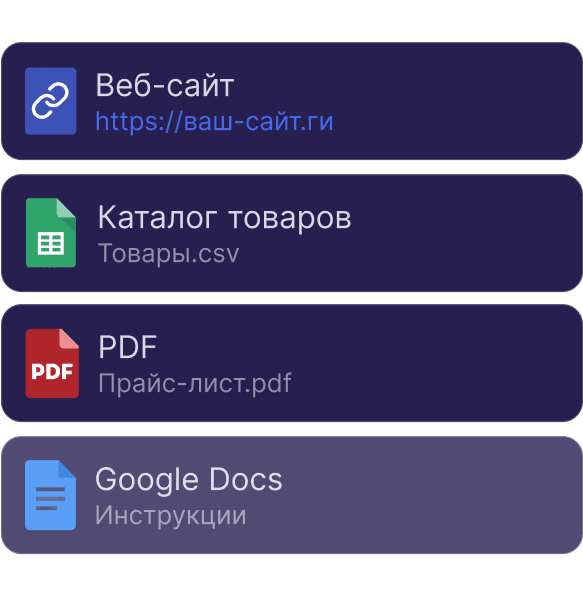
Reads your website, documents, and catalogs. Update your data, and the bot's answers adjust automatically.
Conversation with an AI agent in Telegram

Message the Agent in Telegram the Way Your Customers Do

We built this agent in 20 minutes. Ask it what your customers ask you and see how it answers, clarifies, and guides them to conversion.

Open in Telegram

No sign-up form required

Three Ways to Connect

How to Create a Chatbot in Telegram

Telegram Account

The agent runs on your regular Telegram account, with lower limits on message length and volume than Premium.

The fastest way to get started
Recommended

Telegram Premium

The agent runs on your account with an active Premium subscription for the most stable connection and higher Telegram limits.

No limits on message length or volume

Telegram Bot

A separate bot under your company name — no personal account involved. Create it with @BotFather in a couple of minutes.

Unlimited bots on a single account
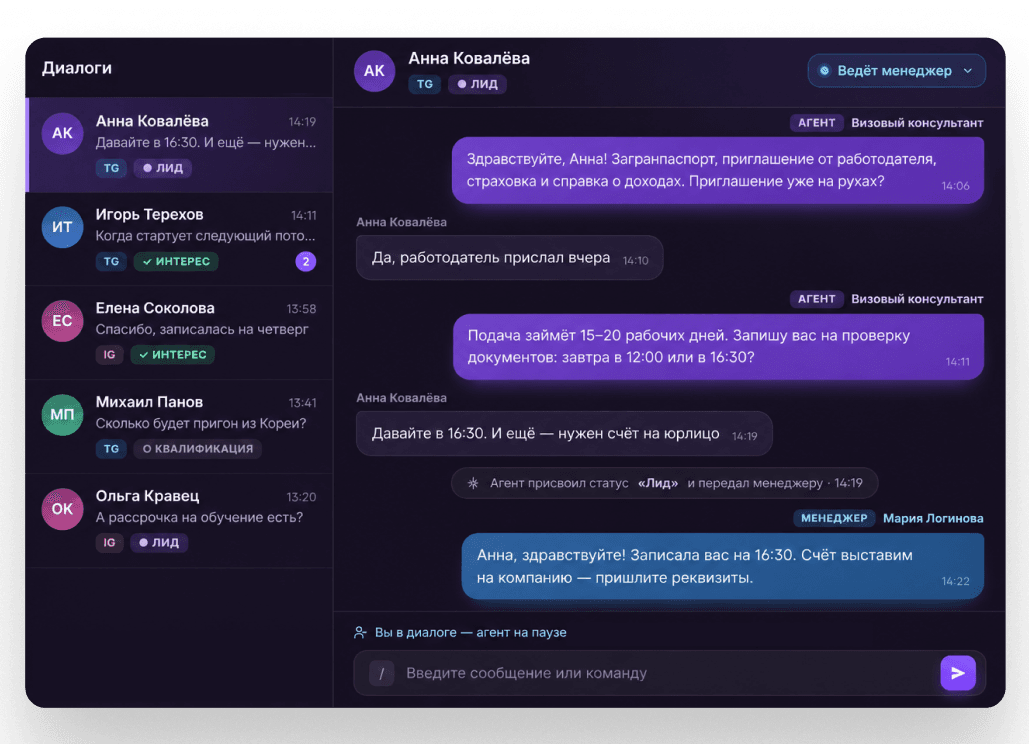
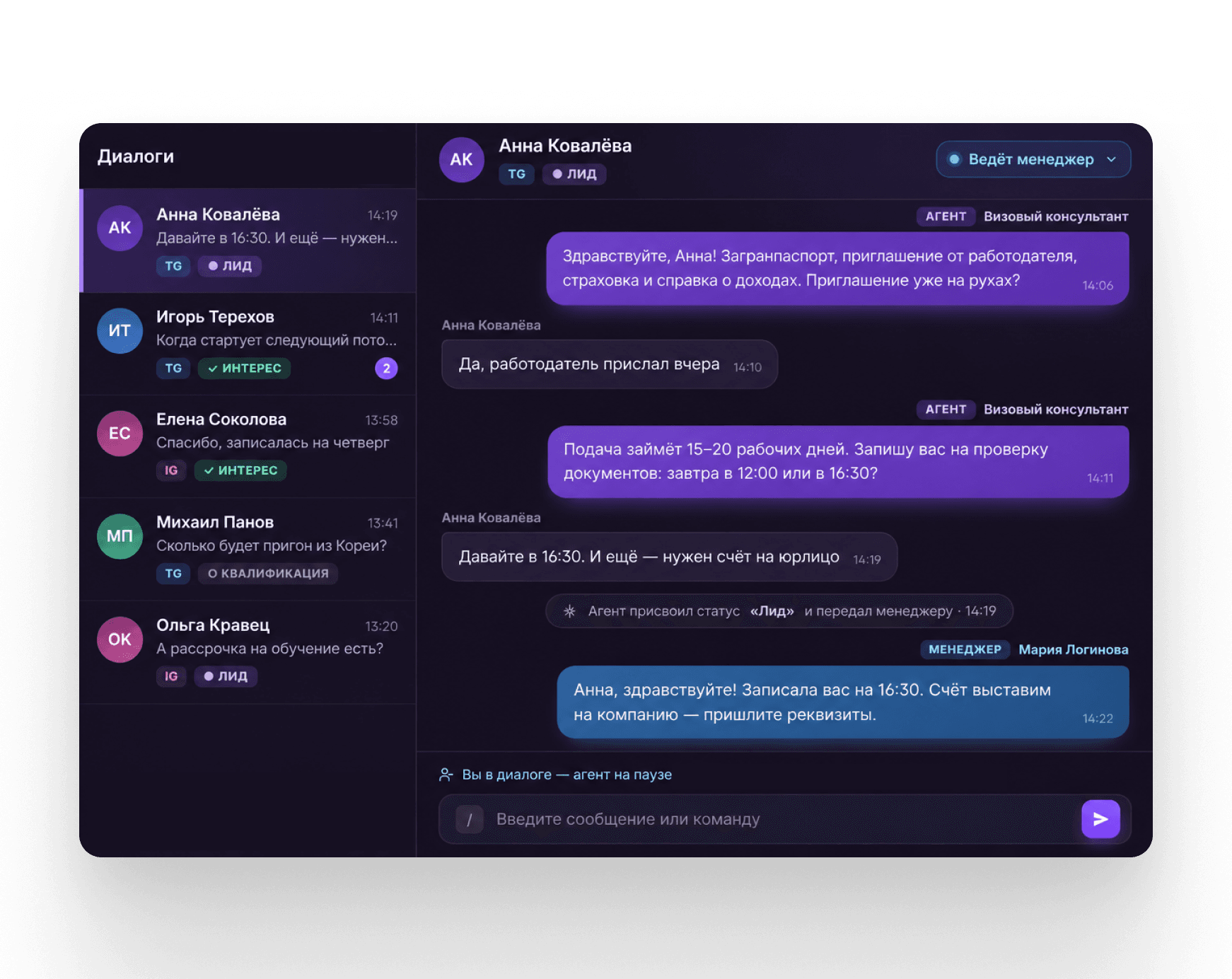
Neira conversation dashboard

See Every Reply and Step In at Any Moment

View all conversations and statuses from every connected channel in one workspace. Join any conversation at any time and update the bot's knowledge in two clicks.

Try It

The conversation dashboard is included in every plan

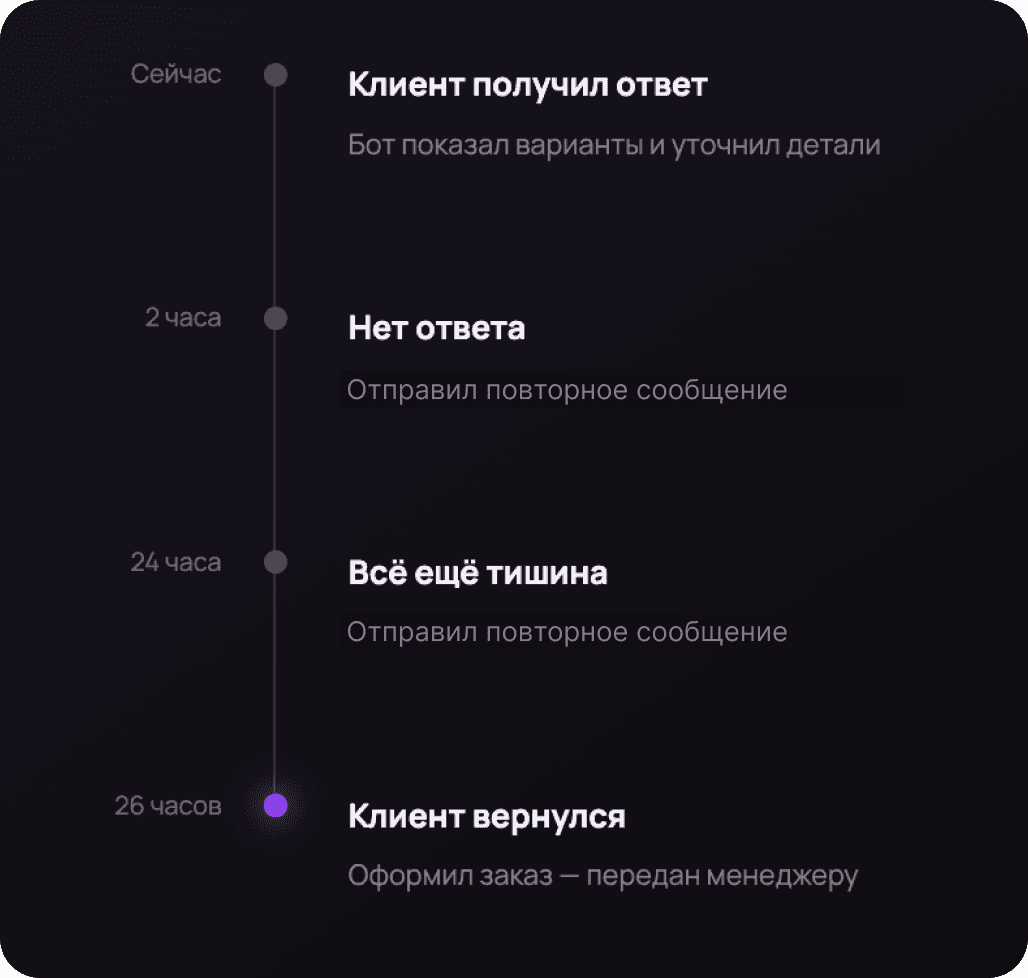
Follow-Up Without Losing Leads

Don't Lose Leads
Who Stop Responding

Pay only for conversations — no extra charges for team members, integrations, or workflows.

Try It Free

Sign-up takes less than a minute

Automated follow-up message to a customer

Custom AI Agent Development and Implementation

Let our prompt engineers, marketers, and sales experts handle the entire process. We'll design your workflows, train your agent on your knowledge base, and get it up and running.


Victoria Erokhina, Prompt Engineer

Victoria Erokhina

Prompt Engineer

How Does the Agent Work in My Industry?

AI Agent for Online Schools

Online Schools

Online Schools

Before each cohort starts, the support team is flooded with questions about the program, format, and installment plans. The AI agent in Telegram answers them, re-engages those who left to think it over, and closes the sale right in the chat.

Don't See Your Industry?

Transparent Pricing

How Much Does an AI Telegram Bot Cost?

Pay only for conversations — no extra charges for team members, integrations, or workflows.

Unlimited bots
All features and integrations included
7 days free
300
30010,000
Monthly cost:
$35≈ $0.12 per contact
Create a Telegram Bot

Launch Your AI Bot
in Telegram in 20 Minutes

Connect a channel, upload your knowledge base, and test your agent using a real-world scenario.

01How Do I Create a Chatbot in Telegram?
All you need is a Telegram account or bot. In your Neira account, you describe the agent's task — everything is configured without code: connect a channel using one of three methods, upload product information to the knowledge base, and specify what the agent should ask and where to send leads, if needed.
02How Do I Create a Telegram Bot with BotFather?
Open @BotFather in Telegram, send the /newbot command, choose a name and username for your bot, and copy the token you receive. Paste it into your Neira account when connecting the channel — the bot will start replying right away. The whole process takes about five minutes, and you don't need a server or a developer account.
03How Much Does a Telegram Chatbot Cost?
You pay for processed conversations, not a subscription — starting at $0.04 per conversation. A conversation is one customer, no matter how many messages they send, so your bill doesn't grow with chat length. Use the calculator above to estimate the cost for your volume.
04Can I Build a Chatbot Without Coding?
Yes, no code is required. You describe the task and upload product materials, and the agent builds the conversation logic itself — no need to draw scripts or button-based flows. You'll only need a developer for custom API integrations.
05What's the Difference Between an AI Agent and a Chatbot?
A traditional chatbot follows a predefined script and gets lost when a question isn't in it. An AI agent responds based on meaning: it understands natural language, considers the conversation context, and decides when to clarify, book an appointment, or hand the conversation to a manager. So the conversation never turns into "choose an option from the menu."
06What Are the Ways to Connect Telegram?
There are three ways: a Telegram bot created with @BotFather, a company work account, or an account with a Telegram Premium subscription. You can combine them — for example, connect a bot and a manager's work account at the same time in one workspace. Learn more about each method in the "Three Ways to Connect" section or ask our support team — we'll help you choose the right option.
07Can I Connect the Chatbot to Bitrix24 or amoCRM?
Yes, conversations and leads are sent to your CRM: the agent creates a deal, fills in fields based on the conversation, and assigns a task to a manager. The full list of systems is in the "Integrations" section. If your system isn't there, you can connect it via API or webhook, or order a custom integration from our development team.
08Can the Bot Book Appointments?
Yes, the agent checks availability, offers options, confirms the booking, and reminds the customer about the visit in advance. The booking appears both in your system and in the customer's record.
09Can a Conversation Be Handed Over to a Human Manager?
Yes, handoff can be triggered by conditions: for example, a direct customer request, a complex question, or a "ready to buy" status. The manager sees the full history and continues the conversation in the same chat — the customer doesn't have to repeat anything.
10Does the Agent Understand Voice Messages and Files?
Yes, the agent transcribes voice messages and replies in text, and takes photos into account in the conversation. It can also send images — for example, a product photo or a price list.
11Where Are Customer Conversations Stored?
Conversations are stored in your Neira account and duplicated to your connected CRM. Access can be configured by employee role. Conversations stay with the company, not on managers' personal phones: when an employee leaves, the customer history isn't lost.